

Who We Are
Michigan Tech Aerospace is a collection of research, development, and educational laboratories dedicated to advancing spacecraft technology. Doctoral research students build and test plasma thrusters that are used to propel satellites as large as a school bus and as small as a smart phone. Undergraduates apply fundamentals of Systems Engineering to design, build, and fly small satellites for agencies such as NASA and the Department of Defense. Faculty experts push the limits of what is possible to solve problems for government and industry customers. Want to learn more? Take a look around….
Ion Space Propulsion Lab
Next-generation Plasma Thrusters for Spacecraft
ISP Lab Research and Facilities
-
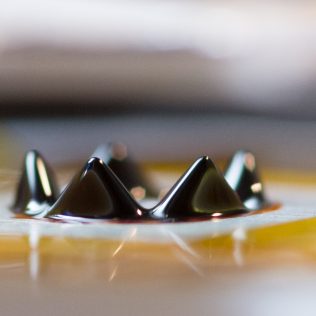
Ionic Liquid Ferrofluid Microthrusters
The Isp Lab invented and patented a novel micropropulsion technology where magnetic fields shape superparamagnetic ionic liquids into self-assembling miniature ion thrusters. This unique form of electrospray propulsion is being transitioned from the laboratory to flight-ready devices that will be used to propel cubesats.
-
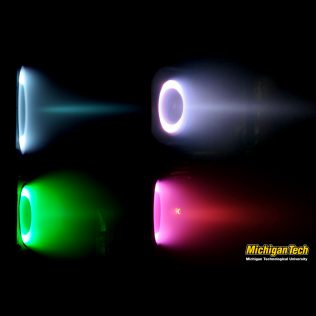
Condensable Propellant Hall Thrusters
The Ion Space Propulsion laboratory has been conducting research into condensable-propellant-fueled Hall thrusters since 2004. Bismuth, zinc and magnesium thrusters have been successfully tested using the condensable propellant test facility.
-
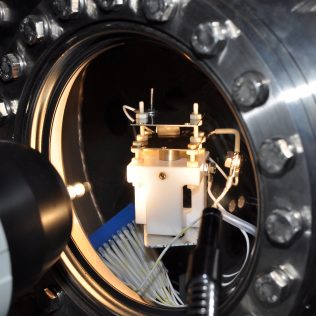
Ultra-high Vacuum Facility
State-of-the-art space simulation chambers are used to develop and investigate plasma thrusters as small as a postage stamp. Facilities are capable of maintaining a vacuum almost as pure as that experienced in orbit and examining how the thruster performs in this environment.
-
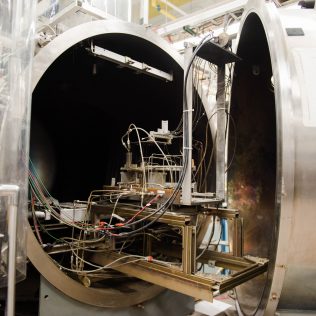
Xenon/Krypton Facility
2-meter-diameter by 4-meter-long space simulation chambers are used to test the performance of full-scale plasma thrusters that operate on gaseous propellants such as xenon and krypton. Sensitive thrust stands can measure the propulsive force with accuracy better than 1 millli-Newton.
Small Satellites. Big Ideas.
Students design, build, and operate small satellites for government and industry customers
Aerospace Enterprise Projects and Facilities
-
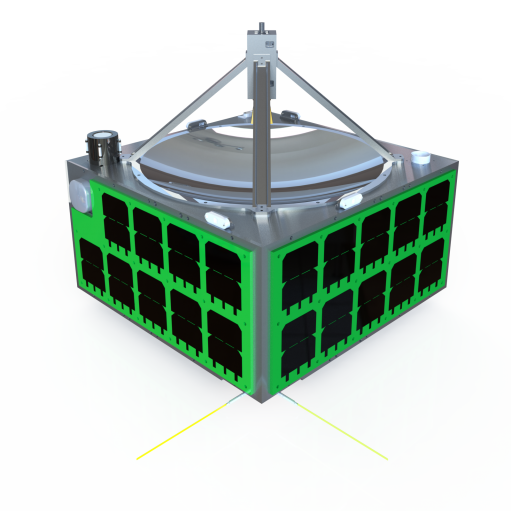
Auris Microsatellite
A microsat for characterizing RF-signal emissions
-
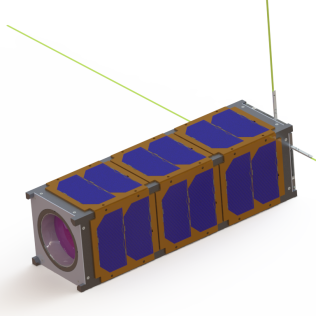
Stratus Cubesat
A 3U-cubesat for infrared cloud imaging
-
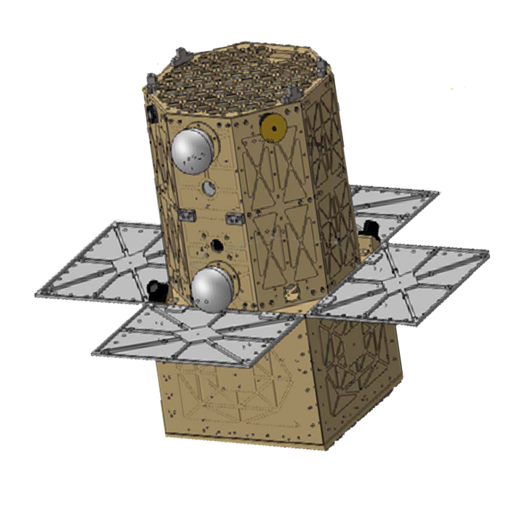
Oculus-ASR Microsatellite
A Microsatellite for Space Situational Awareness research
-
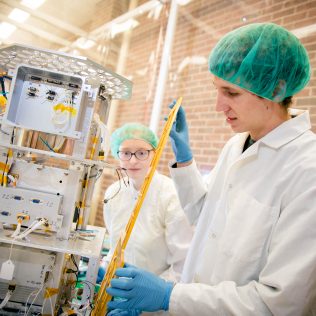
Spacecraft Clean Assembly Area
Class-100,000 clean room for flight hardware handling
Recent News from MTU Aerospace

NIST Symposium Honoring David WinelandSeptember 18, 2018
“If there was an international nice-guy prize, David Wineland probably could win that too. As...

CPT Elizabeth Van Heusden Successfully DefendsMay 16, 2018
Congratulations to Elizabeth Van Heusden on successfully defending her thesis and obtaining a MS....

Dr. Brandon Jackson Successfully DefendsApril 10, 2018
Congratulations to Brandon Jackson on successfully defending his dissertation and obtaining a PhD....

ISP Lab Researcher Interviewed by LiveScienceJanuary 15, 2018
Ph.D. Candidate and Isp Lab researcher Brandon Jackson was recently interviewed for an article on...